Criteria - Editor
This section covers the editor of the criteria module.
The criteria editor provides functionality to define a criterion, as well as to determine available datasets based on the criterion AQL query. There are two main sections of the criterion definition:
General information
Build the criterion
General information
The general information section contains information about the criterion such as:
No. |
Field |
Mandatory |
|---|---|---|
1 |
English title |
Yes |
2 |
English use |
Yes |
3 |
English purpose |
Yes |
4 |
German title |
Yes |
5 |
German use |
Yes |
6 |
German purpose |
Yes |
7 |
Category |
No |
8 |
Criteria for public use |
Yes |
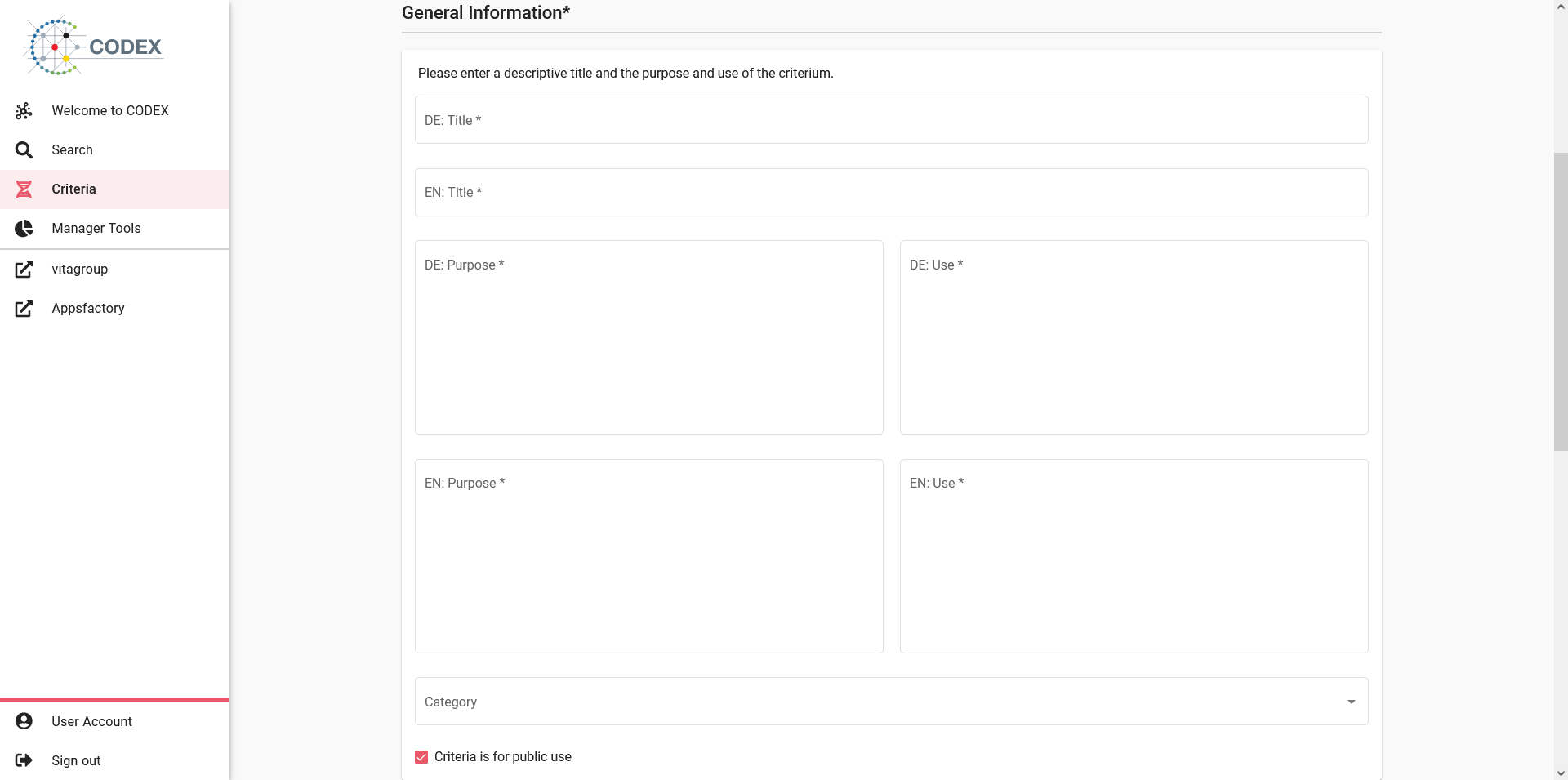
Fig 06-02-01: Criteria editor general information
Build the criterion
In this section the actual criterion is being defined, this area is split into 3 areas:
The criterion builder area
The criterion raw query area
The hits area
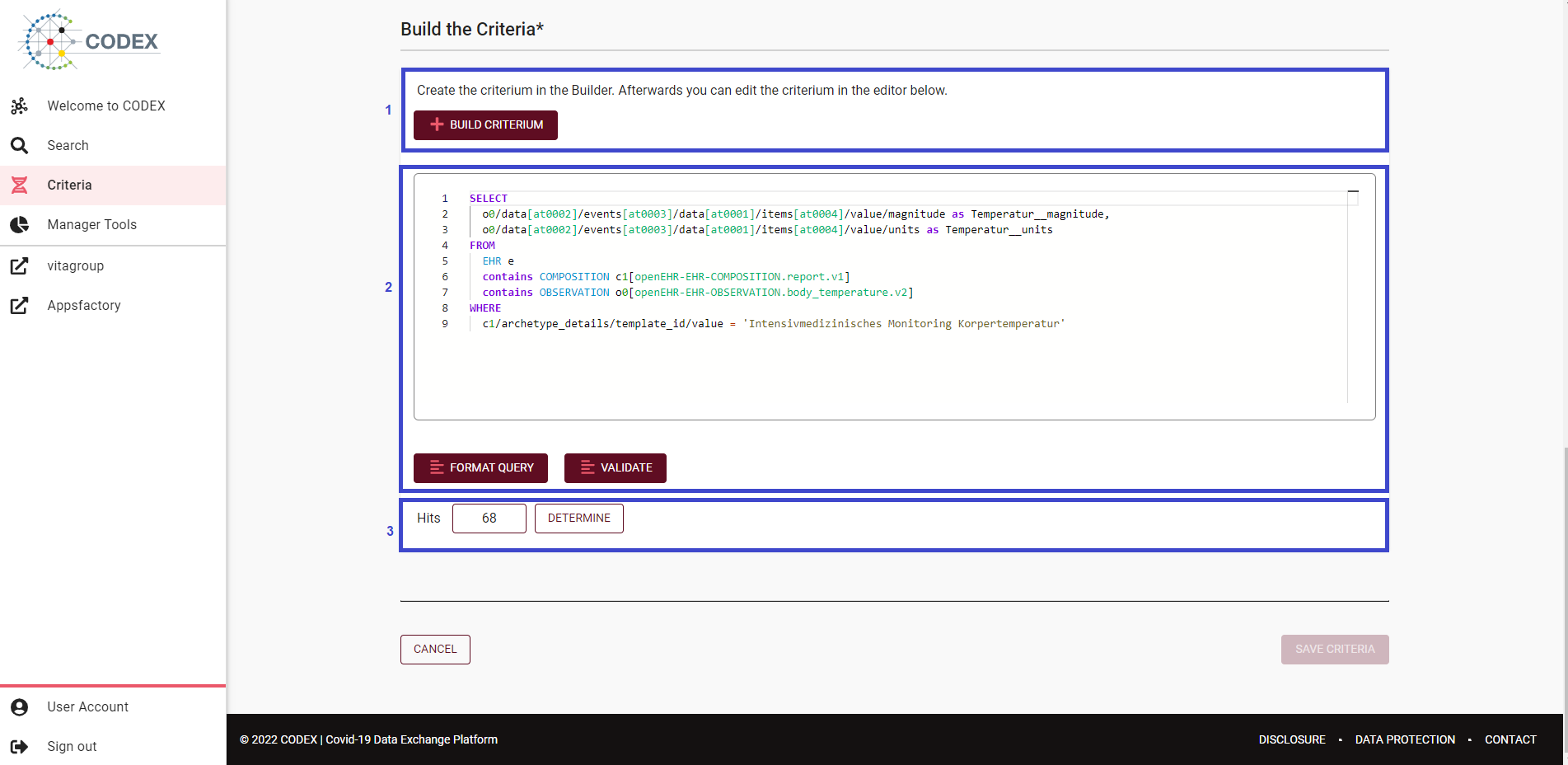
Fig 06-02-02: Criteria editor builder
The criterion builder area
One of two ways for building a criterion. By pressing the build criterion button a dialog will pop up. On the left-hand side of the dialog the return parameters can be selected. After selecting the desired return parameters, the actual data of interest which will make up the criterion needs to be double-clicked in order to be added to the right-hand side of the dialog in the selected query clause.
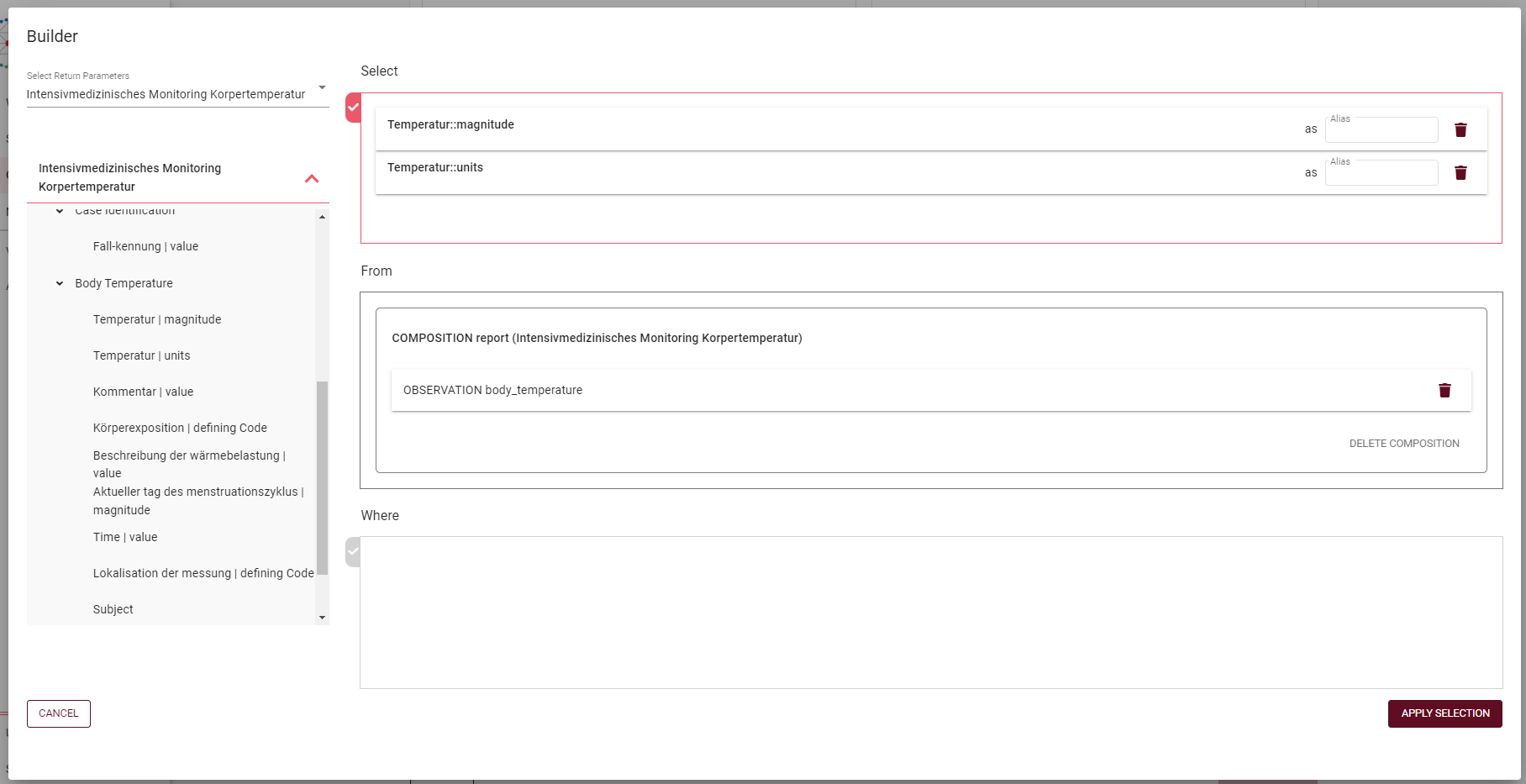
Fig 06-02-03: Criteria builder dialog
The right-hand side of the dialog contains the three query clauses supported by the builder:
The Select clause represents the exact data needed for the criterion
The From clause’s purpose is to scope the data source for the query by specifying a certain subset from the data available; for example narrowing the data to a certain composition
The Where clause’s purpose is to filter the data set within the data in the From clause. Logical operators can be applied to combine multiple expressions.
Important
The Select and From clauses are mandatory, the Where clause is optional
By pressing the Apply Selection button the raw query is computed and added to the criterion raw query area.
The criterion raw query area
Contains the raw criterion query. This can be built by using the builder functionality or can be directly typed in. There is also the option to format the typed in query and to validate its correctness.
The hits area
This area shows the number of patients in the entire dataset resulting from the query. To retrieve the patients, you must click the Determine button. The number of patients is then displayed depending on the authorization.