Projects Overview
This section covers the projects overview page of the projects module.
Lists available projects in their different statuses. Provides functionality to search projects by project name and author as well as to filter projects on 4 criteria:
all
owned
projects belonging to the logged-in user organization
archived projects
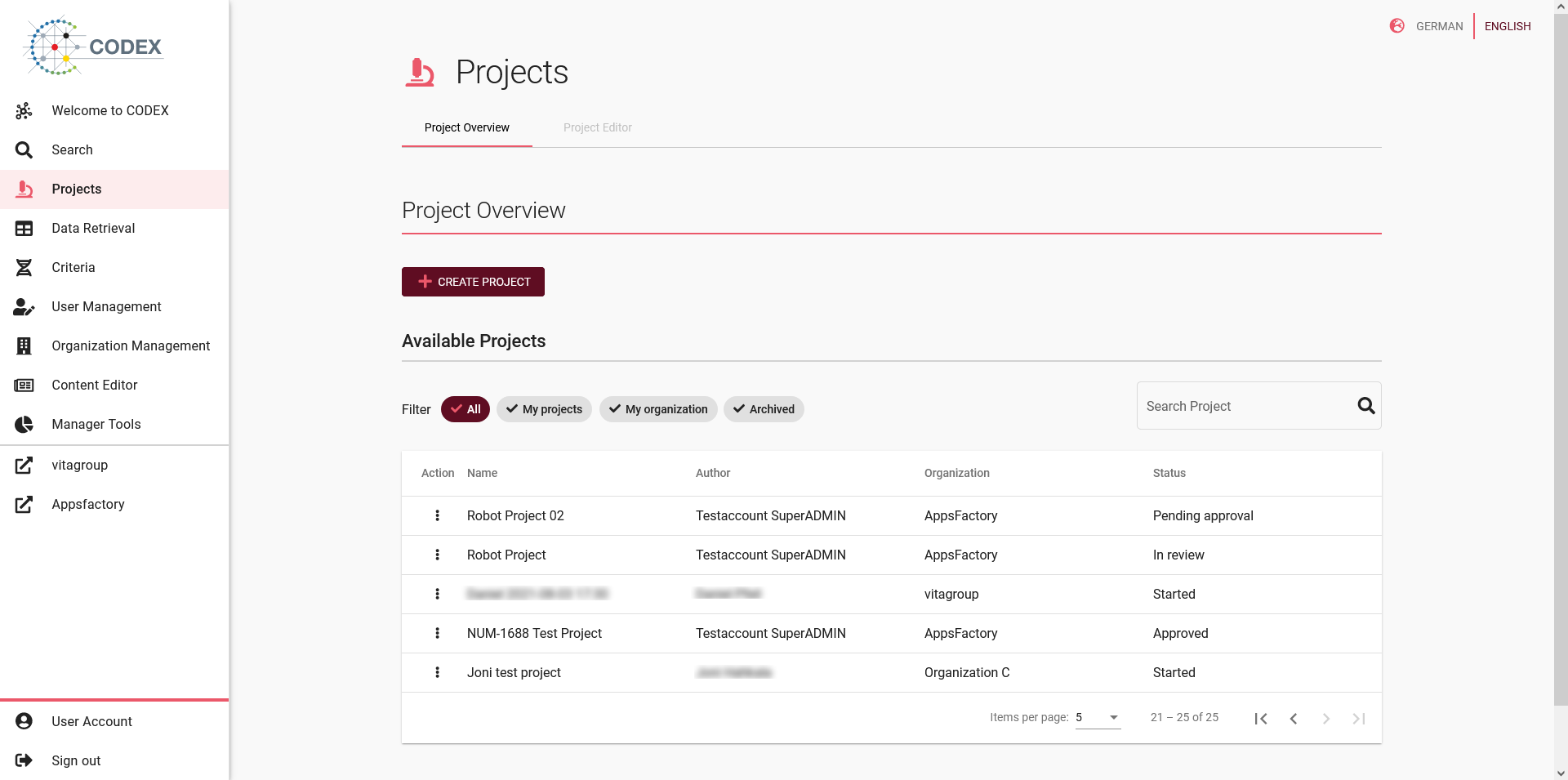
Fig 04-01-01: Projects list
At the beginning of each entry in the list you find a Symbol representing three points. By clicking this symbol you can access further options, which are depending on your user role. The necessary user role is noted in brackets behind each option.
Preview (Project Lead, Project Approver): Preview the project application. In preview mode, you can not edit the project.
Edit researchers (Project Lead): Edit the researchers that are assigned to the project.
Start project (Project Lead): Start the project to allow researchers to retrieve data. This is only possible after the project application has been approved.
Withdraw approval request (Project Lead): Withdraw your request, so that the project application can be changed.
Finish project (Project Lead): Finish the project so that data can be no longer retrieved.
Delete (Project Lead): Delete the project completely. Only projects, that have not been started, can be deleted.
Archive (Project Lead): Archive the project, so that it no longer appears in the list. Only projects that have been finished, can be archived.
Review project (Project approver): Start the review to approve or deny the project application.
Important
As a project lead you can only edit projects, you have created yourself.