Unapproved users management
This section covers the management of unapproved users. Unapproved users have just registered at the NUM RDP app and wait for approval and assignment of a role.
Important
The following steps can only be executed by users with the role of Organization Admin or Super Admin.
The user management page New Users features a list of users that have registered with platform but have not yet been approved. Before new users can use features of the portal, they have to be approved by assigning at least one role to the user.
Note
Organization Admins are automatically notified via email, whenever a new user has registered for their organization. This email contains additional information about the user as well as the desired roles.
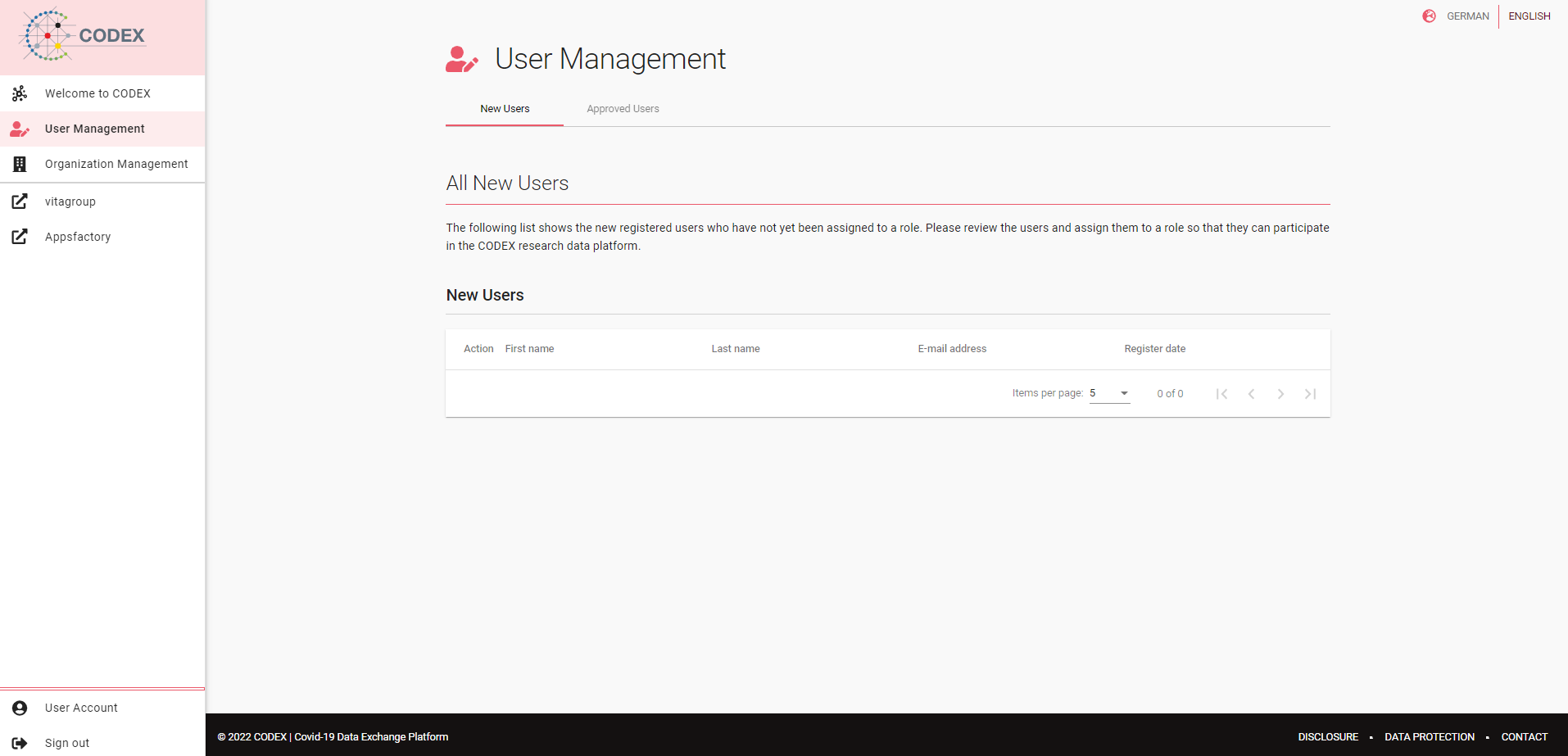
Fig 07-01-01: New users
Approve new users
To approve a user, click on the pencil symbol at the beginning of the row to open up a separate dialog. At the top of the dialog the users details as well as the assigned organization are displayed. Below you find a list of roles that you can assign. Do so by clicking the plus symbol at the end of the roles row. It changes into a tick symbol. You can assign as many roles as you like. You can revert the selection by clicking again on the tick symbol.
Note
Super Admins can assign a wider set of roles than Organization Admins.
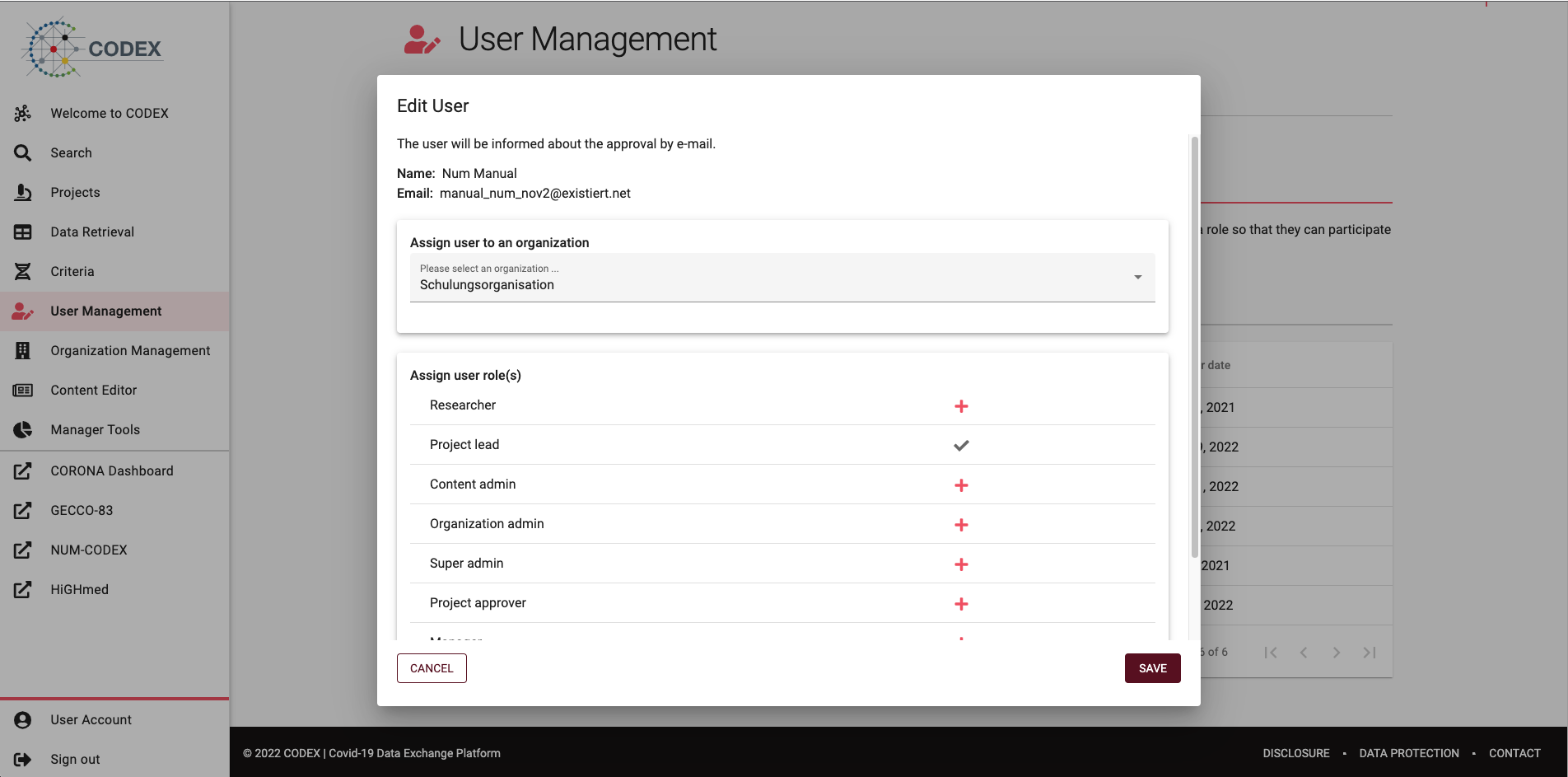
Fig 07-01-02: User approval dialog
To assign the roles, click the save button. This approves the user and assigns the selected roles. The user is informed via email about the approval and the assigned roles.
Caution
Users with the Super Admin role can also change the organization of the user. The organization is assigned automatically by the domain of the users email address. Please do not change the organization unless you know exactly what you are doing.